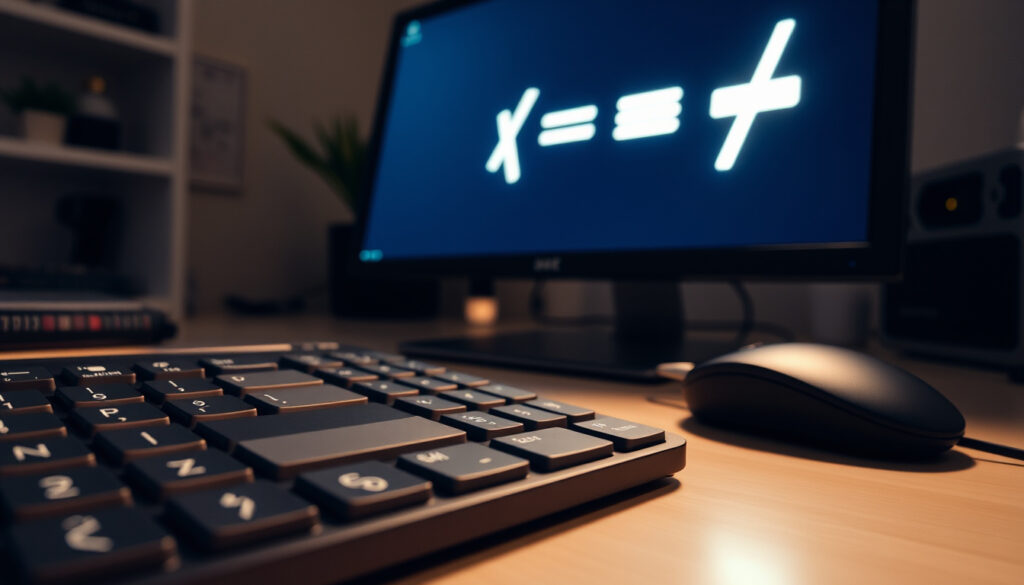
Does Not Equal Sign (≠): How to Type and Use It | Guide
It’s a small symbol that trips up more people than you’d think. The does not equal sign (≠) might look simple, but knowing how to type it across Windows, Mac, Android, and iPhone often requires a different trick for each platform.
Symbol name: Not equal to sign (≠) ·
Unicode code point: U+2260 ·
Windows shortcut: Alt+8800 (numeric keypad) ·
Mac shortcut: Option + = ·
HTML entity: ≠ ·
In Excel formula: <>
Quick snapshot
- Excel uses <> for not equal (Microsoft Support)
- Python uses != (Python Documentation)
- HTML uses ≠ (WHATWG HTML Standard)
- Alt+8800 requires a numeric keypad — laptops without one need workarounds (Microsoft Support guidance)
- Option+= works on Mac but may vary by keyboard layout (Apple Support)
- Some laptop keyboards may require Fn key to activate numeric keypad characters (Microsoft Support guidance)
- Mobile keyboard long press availability varies by keyboard app (Microsoft Support guidance)
- Some international keyboard layouts remap the Option key on Mac (Microsoft Support guidance)
- Unicode U+2260 assigned since Unicode 1.1 (1993) (Unicode Consortium)
- Platform updates continue to improve direct input; always check latest OS shortcuts
Seven key facts, one takeaway: the does not equal sign is universally supported, but input methods differ by system.
| Property | Value |
|---|---|
| Symbol | ≠ |
| Unicode | U+2260 |
| HTML Entity | ≠ |
| Windows Alt Code | Alt+8800 |
| Mac Shortcut | Option + = |
| Excel Operator | <> |
| Python Operator | != |
The pattern: whether you’re writing a formula or a document, each environment offers a distinct path to the symbol — and using the wrong one leads to errors.
How to type ≠ in keyboard?
How to type the not equal sign on Windows 11
- Alt code (numeric keypad): Hold Alt and type 8800 on the numeric keypad, then release. This works in most applications (Microsoft Support guidance).
- Character Map: Open Character Map (search “charmap”), find ≠, copy and paste (Microsoft Support).
- Unicode hex input (Word only): Type 2260 then press Alt+X to convert to ≠ (Microsoft Support).
Why this matters: Windows 11 still relies on legacy entry methods. If your keyboard lacks a numeric keypad, the Character Map or the Alt+X trick in Word become your only reliable options.
How to type the not equal sign on Mac
- Direct shortcut: Press Option + = in most keyboard layouts to produce ≠ (Apple Support).
- Character Viewer: Press Control + Command + Space, search “not equal”, and double-click the symbol (Apple Support).
The catch: keyboard layouts vary — some international layouts remap the Option key, so the direct shortcut may not work. The Character Viewer is the fallback that always works.
How to type the not equal sign on Android and iPhone
- Default keyboard: Long-press the = key on the numeric or symbol keyboard. A popup shows the ≠ symbol. Availability depends on the keyboard app (Google Docs Help notes that pasted Unicode symbols render correctly in most apps).
- Third-party keyboards: Gboard and SwiftKey both support long-press for ≠. If missing, copy from a character app or website.
The trade-off: while convenient, not every keyboard app includes the long-press shortcut. Copy-paste remains the universal mobile method.
How to type the not equal sign in Microsoft Word
- Insert Symbol: Go to Insert > Symbol > More Symbols, select “Mathematical Operators” subset, double-click ≠.
- Unicode shortcut: Type 2260 then press Alt+X (Microsoft Support). This converts the hex code to the symbol.
- AutoCorrect: You can set Word to replace a custom text like “neq” with ≠ automatically.
What this means: Word offers the most flexible input options of any text editor, letting you choose between visual menus and keyboard-only workflows.
The takeaway: Windows users face the most friction without a numeric keypad, while Mac and mobile users have more direct paths. For frequent use on Windows, an AutoCorrect rule or clipboard manager solves the gap.
What does ≠ mean?
Meaning in mathematics
The symbol ≠ means “not equal to.” It compares two numbers or expressions and returns true if they have different values (Unicode Consortium). For example, 5 ≠ 6 is true. In equations, it signals inequality: x ≠ 3 means x can be any number except 3.
Meaning in programming
In code, ≠ is rarely used as a direct operator — most languages use != or <> instead (Python Documentation). However, the semantics are identical: the expression evaluates to True when the two operands are not equal. In Python, if a != b: is a standard pattern for branching.
The implication: although you can type ≠ in source code comments or strings, actual comparison logic in programming uses the two-character operators defined by each language.
What does ≅ mean?
Difference between ≅ and ≠
The symbol ≅ means “approximately equal to” or “congruent to,” not inequality. In geometry it indicates shape congruence; in algebra it expresses approximate equality. For instance, π ≅ 3.14 (Unicode Consortium). The ≠ symbol is strict: it never implies approximation — either the values are unequal or they are not. Confusing the two can lead to logical errors in mathematical proofs or code.
What symbol is ≠?
Alternative names: not equal sign, inequality sign
The ≠ character is officially named the “not equal to” sign in the Unicode standard. It consists of an equals sign with a forward slash drawn through it (Unicode Consortium). The slash is diagonal or vertical depending on the font.
Unicode and HTML representation
- Unicode: Code point U+2260 (Unicode Consortium).
- HTML entity:
≠or≠(WHATWG HTML Standard). - Python escape:
\u2260(PEP 3120 – UTF-8 default source encoding).
The implication: whether you’re writing HTML or Python, you have multiple standards-compliant ways to represent the symbol.
How to use ≠?
Using ≠ in Excel formulas
Excel does not accept the ≠ symbol in formulas. Instead, use the <> operator. Example: =IF(A1<>B1, "Different", "Same") (Microsoft Support). The symbol itself can be inserted via Insert > Symbol for labeling or comments (Microsoft Support).
Using ≠ in Python
Python’s not-equal operator is !=. Example: if 5 != 3: print("Not equal") (Python Documentation). For displaying the symbol, use Unicode literal "\u2260" in strings. Python source code is UTF-8 by default (PEP 3120), so you can also paste ≠ directly into a string. Learn more about Python operators in our guide on floor division and other operators.
Using ≠ in Word and other text editors
Besides the typing methods above, you can copy ≠ from a character map or web page. In HTML, use ≠ or ≠ for reliable rendering (WHATWG HTML Standard). For cross-platform document exchange, stick to the Unicode character to ensure it appears correctly in modern fonts.
Typing ≠ on Windows without a numeric keypad remains the single biggest friction point for users. The Character Map is clunky; the Alt+X shortcut only works in Microsoft Office. For frequent use, consider assigning an AutoCorrect rule or keeping the symbol in a clipboard manager.
Many programmers new to Python mistakenly try to use ≠ in code instead of !=. That will cause a SyntaxError because ≠ is not a valid operator in any major language. The symbol is for display, not computation.
The bottom line: use the symbol for display, and the operator for code.
Three authoritative takes on the not equal sign’s role:
“The not equal symbol is used to indicate that two values are not equal.”
— Wumbo.net (mathematical reference site)
“The not equal sign is used to indicate inequality.”
— NotEqualsSign.com (dedicated reference)
“The ≠ symbol represents a relationship where two numbers or expressions do not have the same value.”
— Meaningful Math Co. (math education publisher)
The pattern across all sources: the definition is consistent, but the real challenge for most readers is not the meaning — it’s the input.
Summary
The does not equal sign is a small character with big implications across math, coding, and everyday documents. Knowing how to type it on each platform saves minutes of frustration. For the average Windows user without a numeric keypad, the fastest path is the Alt+X shortcut in Word or copying from Character Map. For Mac users, Option+= is immediate. For mobile, a long press on the equals key usually works. The trade-off for programmers: use != in Python, <> in Excel, and never expect the symbol itself to work as an operator. For anyone typing technical content, the clear recommendation is to learn the platform-specific shortcut — or keep a plain text file with ≠ ready to copy. For more cross-platform how-to guides, see our guide to downloading video from any website.
youtube.com, flexiple.com, freecodecamp.org, office-watch.com
For those working with inequalities, the less than or equal sign (≤) is another essential symbol that pairs naturally with the does not equal sign.
Frequently asked questions
Is the not equal sign the same as !=?
They represent the same concept — inequality — but ≠ is a Unicode symbol for display, while != is the actual operator used in many programming languages. In Python, Java, C, and JavaScript, != is the not-equal operator. The symbol ≠ is not syntactically recognized.
How do I type ≠ without a numeric keypad?
Use Character Map on Windows, the Alt+X shortcut in Word (type 2260 then press Alt+X), or copy from a web page. On Mac, Option+= works regardless of numeric keypad. On mobile, long-press the equals key.
What is the Unicode for the not equal sign?
U+2260. The HTML entity is ≠ and the numeric character reference is ≠. (Unicode Consortium)
Can I use the not equal sign in HTML?
Yes, write ≠ or ≠ in your HTML source. Both render as ≠ in modern browsers. (WHATWG HTML Standard)
Why does the not equal sign show as a box or missing character?
This happens when the font used does not include the U+2260 glyph. Switch to a standard font like Arial, Helvetica, Times New Roman, or any Unicode-compatible font.
How do I insert the not equal sign in Google Docs?
Go to Insert > Special characters, then search for “not equal” or “≠”. You can also copy it from another source and paste. (Google Docs Help)
Is there a difference between ≠ and ≢?
Yes. ≠ (U+2260) is “not equal to.” ≢ (U+2262) is “not identical to,” used in mathematics to denote that two objects are not the same entity, not just different in value.
What does the not equal sign look like in different fonts?
In serif fonts (Times New Roman), the slash is diagonal. In sans-serif fonts (Arial, Helvetica), the slash is also diagonal but may be thinner. Some cursive fonts may render it with a vertical slash. The essential shape — equals sign with a slash — stays consistent.
More related posts
 Convert 1 SGD to INR: Live Singapore Dollar to Rupee Rate
 Cream of Mushroom Soup – Simple Recipe and Variations
 10k USD to SGD: Exchange Rates, Salary & Retirement Guide
 Zimbabwe vs New Zealand: 2025 Results, Scores & Recap
 Slot Resmi Inter77 😋 APK Download – Version 9.0 Guide
 Holiday Inn Shanghai Nanjing Road: Location & Reviews
 Jianghu Buffet @ Northpoint City: Prices, Menu & Unique Conveyor Belt Hotpot
 Lion-Phillip S-REIT ETF: Yield, Holdings, and 2026 Outlook