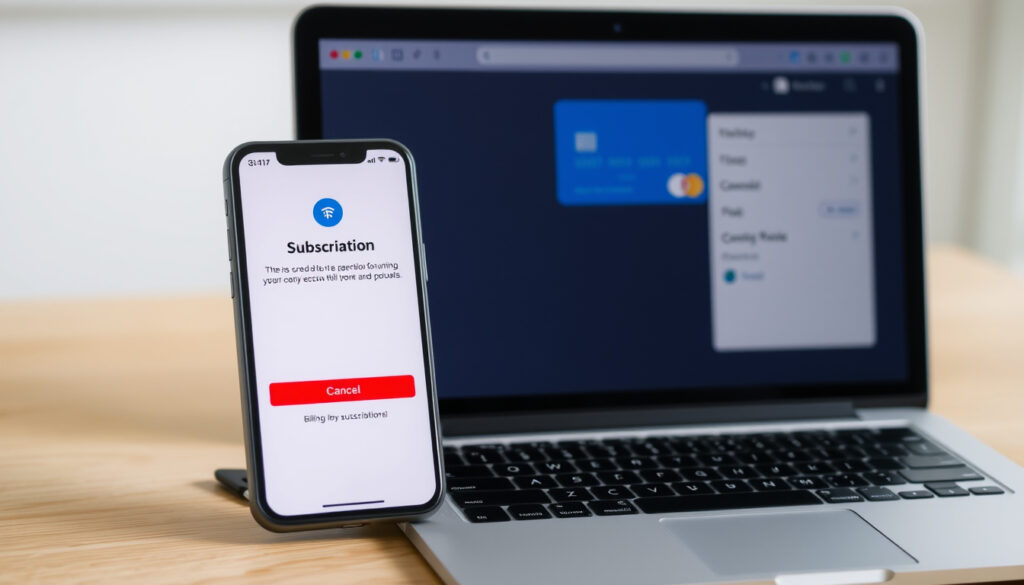
How to Cancel ChatGPT Subscription: Web, iPhone, Mac
Anyone who has signed up for ChatGPT Plus knows the monthly charge can add up quickly. If you are ready to cancel, the official process takes just a few clicks — once you know exactly where to look. The catch is that the steps differ depending on whether you subscribed on the web, through an iPhone, or on a Mac. This guide walks through each route so you can stop the billing without the guesswork.
Official cancellation method: Settings > Billing > Cancel plan ·
Cancellation effect: Stops billing at next cycle, access until end of paid period ·
Most common issue: Payment method still attached after cancellation ·
Platforms covered by official guide: Web browser only ·
Third-party guide count (2025–2026): Over 20 blog posts
Quick snapshot
- Log in to chatgpt.com (OpenAI Help Center)
- Go to Settings > Billing (OpenAI Help Center)
- Click Cancel under Cancel plan (OpenAI Help Center)
- Open Settings > Apple ID > Subscriptions (OpenAI Help Center)
- Select ChatGPT and tap Cancel (OpenAI Help Center)
- Or use web browser on iPhone (OpenAI Help Center)
- Open ChatGPT app or browser
- Same steps as web cancellation
- Alternatively manage via Apple ID subscriptions
- Use any web browser at chatgpt.com
- Profile icon > Settings > Billing
- Confirm cancellation
Five key facts about canceling a ChatGPT subscription, one pattern: the official path is simple on the web, but platform-specific billing — especially Apple’s App Store — is where most confusion lives.
| Fact | Detail |
|---|---|
| Cancellation effective | Immediately stops future billing, access until end of paid period (OpenAI Help Center) |
| Payment method removal | Only possible after cancellation (Tactiq guide) |
| Refund available | Not standard; case-by-case through support |
| Platforms supported | Web (desktop/mobile), iPhone (via App Store) |
| Official source | help.openai.com |
How do I completely cancel my subscription?
Cancellation via web browser
- Log in to chatgpt.com using the account that holds the subscription.
- Click your profile icon (top-right corner) and select Settings.
- Navigate to the Billing tab.
- Under Cancel plan, click Cancel and confirm the pop-up.
OpenAI’s official help page states: “Log in to ChatGPT. Select your profile icon, then select Settings. Select Billing. Under Cancel plan, select Cancel.” (OpenAI Help Center)
Cancellation via ChatGPT iOS app
- If you subscribed through the iPhone App Store, you cannot cancel inside the ChatGPT app itself.
- Open Settings on your iPhone, tap your Apple ID banner at the top, then tap Subscriptions.
- Select ChatGPT from the list of active subscriptions and tap Cancel Subscription.
Apple’s subscription flow for ChatGPT on iPhone is controlled entirely by Apple billing, not OpenAI billing, when the purchase is made in-app. (OpenAI Apple subscription guide)
What happens after you cancel
- Your subscription remains active until the end of the current billing period. You will not lose access immediately.
- After the billing period ends, the subscription downgrades to the free tier.
- No refund for remaining days is issued unless you contact OpenAI support and they approve a case-by-case exception.
The pattern: the cancellation is immediate in terms of billing, but access is not cut off mid-cycle. For users who subscribed through Apple, a typical in-app cancellation warning confirms that access continues until the end of the billing period. (YouTube walkthrough)
Why can’t I cancel my ChatGPT subscription?
Account login issues
- Ensure you are logged into the correct ChatGPT account — the one that holds the active subscription.
- If you use multiple email addresses, try each one. A common mistake is logging in with a Google single sign-on account while the subscription is tied to an email/password account.
Apple Community guidance notes that if you cannot find ChatGPT under iPhone Subscriptions, you may be signed into a different Apple ID than the one used for purchase. (19pine troubleshooting guide)
Billing page not loading
- Clear your browser cache or try a different browser (Chrome, Safari, Firefox).
- Disable ad-blockers or VPNs that may interfere with the billing page.
- Try incognito/private mode to rule out extension conflicts.
If the Cancel button is missing entirely, contact OpenAI support. Some users report the button disappears when the subscription status is in a transitional state. (Apple Support Communities)
Subscription status mismatch
- Check if the subscription was purchased through the Apple App Store or Google Play — those must be canceled through the respective store, not through OpenAI’s website.
- If you see a red expiration message instead of a Cancel button, the subscription is already canceled.
Apple guidance explicitly says: “If the Cancel Subscription button is absent or an expiration message is shown in red, the subscription is already canceled.” (Apple Support Communities)
The most common cancellation blocker is a mismatch between where the subscription was purchased (web vs. App Store) and where the user is trying to cancel it. Apple and OpenAI run separate billing systems, and they do not sync.
How to cancel ChatGPT subscription on iPhone?
Cancelling via the ChatGPT app on iPhone
- Open the ChatGPT app on your iPhone.
- Tap the profile icon or menu, then look for Settings.
- You will see a note directing you to Apple’s subscription settings — the app itself cannot process cancellations.
OpenAI instructs iPhone users to go to Settings, tap their name, open Subscriptions, select ChatGPT, and tap Cancel Subscription. (OpenAI Help Center)
Cancelling via Apple App Store subscriptions
- Open Settings on your iPhone.
- Tap your Apple ID banner at the top of the screen.
- Tap Subscriptions.
- Find ChatGPT in the Active list and tap it.
- Tap Cancel Subscription and confirm.
Apple’s subscription flow for ChatGPT on iPhone uses the Apple ID account area, where users can view and manage active subscriptions. (Apple Support Communities)
Alternative: use web browser on iPhone
- Open Safari (or any browser) and go to chatgpt.com.
- Log in and follow the web cancellation steps (profile icon > Settings > Billing > Cancel).
- This works only if you subscribed directly through the ChatGPT website, not through the App Store.
If you subscribed through the App Store, the web path will not show a Cancel button — it will direct you to Apple’s Settings. Deleting the ChatGPT app does not cancel an App Store subscription. (19pine guide)
How do I remove the payment method from ChatGPT?
Removing payment method after cancellation
- Go to chatgpt.com > Settings > Billing.
- Click on Payment Method.
- Select Remove or Update.
The critical rule: the payment method cannot be removed while the subscription is active. You must cancel the subscription first, then remove the payment method. (Tactiq guide)
Updating payment method
- If you want to keep the subscription but change the card, go to Settings > Billing > Payment Method and enter new details.
- For Apple App Store subscriptions, payment method changes must be made through Apple ID > Payment & Shipping in Settings.
What to do if payment method still appears
- Refresh the billing page after cancellation — it may take a few minutes to update.
- If the payment method persists, log out and log back in.
- Contact OpenAI support if the billing page still shows the old card after 24 hours.
Some users report that the payment method remains visible as a placeholder even after removal. This is a display issue and does not mean the card is still chargeable. (Datastudios guide)
A lingering payment method creates confusion and sometimes anxiety. The rule is simple: cancel first, then remove. The card cannot be charged after cancellation, but removing it gives peace of mind.
Why is everyone canceling their ChatGPT subscription?
Cost concerns
- The $20/month ChatGPT Plus price point faces increasing competition from free models.
- Google Gemini, Claude, and other alternatives offer competitive features at no cost.
- Price increases in some regions have prompted users to reassess value.
Increased competition from free models like Google Gemini and Claude has driven a notable shift in user sentiment. (Tactiq analysis)
Alternative AI tools
- Google Gemini (free tier) offers strong reasoning and search integration.
- Claude by Anthropic provides a large context window and is popular among developers.
- Open-source models like Llama 3 run locally for users who prefer privacy.
Users report limited improvements in GPT-4 compared to GPT-3.5, leading some to question the value of the paid tier. Cancellation peaks during product announcement cycles when new features are delayed. (Datastudios analysis)
Dissatisfaction with feature updates
- Some users feel the pace of meaningful updates has slowed.
- Feature parity between free and paid tiers has narrowed, reducing the incentive to pay.
- Bugs and reliability issues in certain versions have prompted cancellations.
The pattern: cancellation spikes tend to coincide with product announcement cycles when promised features are delayed or when a competitor releases a compelling update.
Confirmed facts
- Cancellation steps from OpenAI’s official help page are accurate for web subscribers. (OpenAI Help Center)
- Payment method removal requires prior cancellation. (Tactiq guide)
- Subscription continues until the end of the billing cycle after cancellation. (OpenAI Help Center)
- iPhone subscriptions purchased through the App Store must be canceled via Apple’s subscription settings. (OpenAI Apple guide)
What’s unclear
- Refund eligibility for cancellations made mid-cycle — OpenAI handles these case-by-case with no published policy.
- Cancellation process for ChatGPT Go (limited official documentation available).
- Cancellation without logging into an account — not currently possible through official channels.
“Log in to ChatGPT. Select your profile icon, then select Settings. Select Billing. Under Cancel plan, select Cancel.”
— OpenAI Help Center, official cancellation instructions (OpenAI Help Center)
“Logging in chatgpt via browser and go to Profile -> Account -> Manage -> Cancel Subscription.”
— Reddit user (r/ChatGPT), common workaround shared in community threads
For anyone managing a ChatGPT subscription in 2026, the choice is clear: know where you subscribed before you try to cancel. Web subscribers get a fast, direct path through Settings > Billing. iPhone users who purchased through the App Store must go through Apple’s subscription settings — and deleting the app will not stop the billing. The pattern is consistent across platforms: cancel first, then remove the payment method, and always confirm that the subscription no longer appears in your active list. For users who are unsure which Apple ID or account was used, checking each login method is the most reliable first step.
Related reading: How to cancel ChatGPT Plus subscription on the web · How to cancel your Apple subscription for ChatGPT Plus in the iOS app
For a detailed walkthrough, you can refer to this step-by-step cancellation guide that covers the same process across multiple devices.
Frequently asked questions
Can we cancel a ChatGPT Go subscription at any time?
ChatGPT Go subscriptions can be canceled at any time. Access continues until the end of the current billing period. If you subscribed through the App Store, cancel through Apple’s subscription settings. Official documentation for ChatGPT Go is limited, so contacting support is recommended for specific questions.
How to stop automatic subscription payments?
Cancel the subscription before the next billing date. On the web, go to Settings > Billing > Cancel. On iPhone, go to Settings > Apple ID > Subscriptions > ChatGPT > Cancel Subscription. Once canceled, automatic payments stop at the end of the current cycle.
How to cancel ChatGPT subscription and get a refund?
Refunds are not standard. OpenAI handles refund requests on a case-by-case basis through its support channel. If you cancel mid-cycle, you retain access until the end of the paid period but generally do not receive a prorated refund. Contact OpenAI support directly to inquire about exceptions.
How to cancel ChatGPT subscription without logging in?
It is not possible to cancel a ChatGPT subscription without logging into the account that holds the subscription. If you cannot log in, use the password reset option or contact OpenAI support for account recovery assistance.
How to cancel ChatGPT subscription on PC?
Open any web browser, go to chatgpt.com, log in, click your profile icon, select Settings, go to Billing, and click Cancel under Cancel plan. The process is identical on Windows and Mac desktop browsers.
How to cancel ChatGPT subscription on Mac?
If you subscribed through the ChatGPT website, use the web browser steps above. If you subscribed through the Mac App Store, open the App Store app, click your name, go to Subscriptions, find ChatGPT, and cancel. Alternatively, use System Settings > Apple ID > Subscriptions.
Is it easy to cancel ChatGPT Plus?
Yes, for web subscribers. The process takes about 30 seconds. For iPhone subscribers who purchased through the App Store, the process is slightly longer because you need to go through Apple’s subscription settings, but it is still straightforward once you know where to look.
More related posts
 Happy Chinese New Year: Greetings, Meanings & 2026 Tips
 How Many Oceans in the World? 5 vs 7 Explained by NOAA
 Ngee Ann City Parking Rate: Guide & Cheap Alternatives
 Geo Energy Share Price: Is RE4 a Buy, Sell, or Hold
 Love Bonito Warehouse Sale 2026: Dates, Discounts & Shopping Tips
 SGD to IDR: Live Singapore Dollar to Indonesian Rupiah Rate
 OCBC Foreign Exchange Rate: Live Rates, Calculator & Fees
 Uhm Jung-hwa: Why She Never Married, Madonna of K-pop & Career