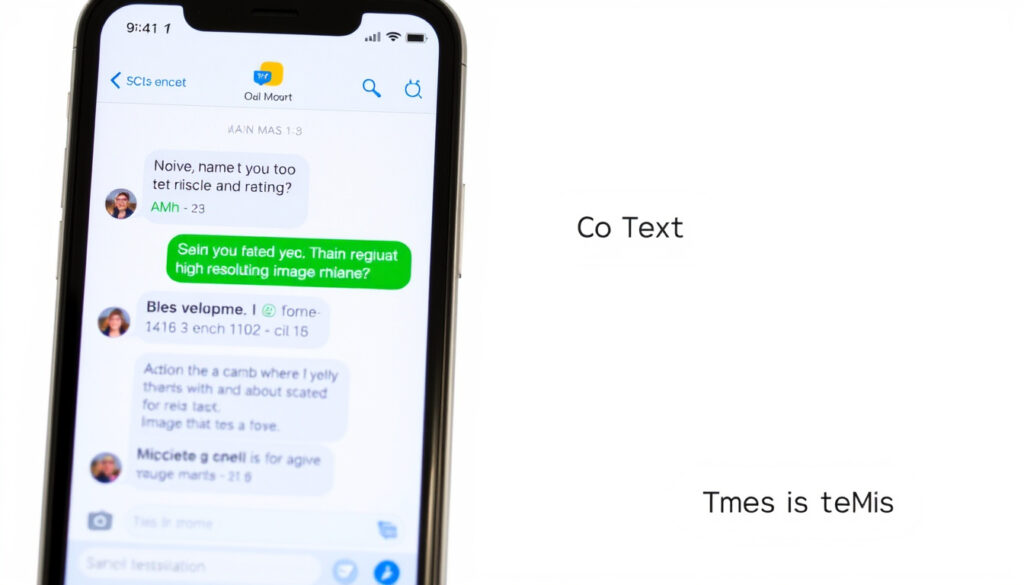
What Is RCS Chat? Definition, Features, and How It Works
That typing indicator and crisp photo you just sent? That’s RCS Chat working behind the scenes. Rich Communication Services, developed by the GSMA, upgrades plain SMS with read receipts, high-res media, and group chats — without a separate app download. Wikipedia. Here’s what you need to know.
Monthly active RCS users: 800 million ·
Carriers supporting RCS: 70+ ·
RCS standard defined by: GSMA ·
Supported on Android: Yes (Google Messages) ·
Requires data/Wi‑Fi: Yes
Quick snapshot
- RCS uses mobile data or Wi‑Fi, not just cellular (Apple Support)
- Supports read receipts, typing indicators, high-res images and videos (Webex)
- Available on Android via Google Messages (Google Play)
- Whether a sent RCS message means the other person blocked you (Webex)
- Exact carrier support in all regions (Infobip)
- Apple’s full rollout timeline for all iPhone models (Webex Blog)
- 2007 – GSMA releases first RCS specification (Wikipedia)
- 2019 – Google launches RCS Chat in Google Messages (Google Play)
- 2024 – Apple announces RCS support in iOS 18 beta (9to5Google)
- Apple’s iOS 18 public release is expected to bring RCS to iPhones (Webex Blog)
- Google Messages may add message editing with a 15-minute window (9to5Google)
- Business messaging via RCS reportedly expands on Apple devices (Infobip)
| Attribute | Value |
|---|---|
| Full name | Rich Communication Services |
| Standard body | GSMA |
| Year introduced | 2007 (initial spec) |
| Major adoption | 2019 (Google Messages) |
| Key features | Read receipts, typing indicators, high‑res media, group chats |
| Security | End‑to‑end encryption (Google Messages implementation) |
What is RCS chat?
RCS Chat is the commercial name for the Rich Communication Services protocol, a standard designed by the GSMA to replace SMS with a feature-rich messaging experience. Wikipedia. It works over mobile data or Wi‑Fi and doesn’t require you to install a separate app – it lives inside your phone’s default messaging app.
RCS essentially brings iMessage‑like capabilities to any compatible messaging client, but without locking you into a single ecosystem.
How does RCS work?
- When both sender and receiver have RCS‑enabled apps, messages are routed through data channels instead of the traditional SMS center. (Google Help)
- Features like read receipts and typing indicators are handled by real‑time signalling between devices. (Webex)
What devices support RCS?
- Android phones with Google Messages – by far the most common. (Google Play)
- iPhone – Apple announced RCS support with iOS 18 (beta arrived July 2024). (Webex Blog)
- Windows via Phone Link, but with limited features.
What features does RCS offer?
- High‑resolution photos and videos. (Apple Support)
- Read receipts and typing indicators. (Webex)
- Dynamic group chats with naming and member management. (Google Play)
- Message editing within a 15‑minute window (added in 2024). (9to5Google)
The catch: RCS delivers a near‑identical experience to WhatsApp or iMessage, but it’s baked into the native messaging app – no extra downloads, no separate contacts list.
What is the difference between RCS and SMS?
The core split comes down to infrastructure: SMS relies on the cellular voice network, while RCS uses data pathways. That difference unlocks vastly different capabilities. Webex.
RCS only works when both sides have a compatible app. SMS, by contrast, is universal – every phone can receive a text.
Character limit and media support
- SMS is limited to 160 characters per message; RCS has no practical limit. (Webex)
- SMS cannot natively send high‑resolution images or videos; RCS handles rich media as easily as any chat app. (Apple Support)
Delivery features and read receipts
- RCS shows you when the other person is typing and when they’ve read your message. (Webex)
- SMS offers only a basic “sent” status – no receipts, no indicators.
Security and encryption
- Standard SMS is not encrypted. (Google Help)
- RCS in Google Messages is end‑to‑end encrypted by default for one‑to‑one chats. (Google Help)
- Carrier‑implemented RCS may lack encryption – it depends on the provider.
Network requirements
- SMS uses the cellular control channel – it works on any phone with signal. (Wikipedia)
- RCS requires a mobile data connection or Wi‑Fi. (Apple Support)
The trade‑off: RCS gives you a rich, app‑like conversation – but only if both parties are equipped. SMS is the fallback that works everywhere, every time.
Should I have RCS on or off?
For most people, leaving RCS enabled is a clear win – better media, live typing, and group management. But there are cases where turning it off makes sense.
Pros of enabling RCS
- Rich media – photos and videos stay sharp. (Google Play)
- Typing indicators and read receipts make conversations feel alive. (Webex)
- Group chats work with dynamic features (add/remove members, naming).
Cons of enabling RCS
- Uses mobile data – heavy media can eat into your plan. (Google Help)
- If the recipient doesn’t support RCS, messages fall back to SMS, which may cause confusion. (Webex)
- Some carrier implementations lack encryption.
When to turn RCS off
- When you’re traveling and need to minimise data usage. (Google Help)
- If you experience compatibility issues with certain contacts.
- For privacy reasons – if you prefer not to share read receipts.
The pattern: RCS enriches the texting experience, but the data cost and fallback behaviour mean it’s not always seamless.
Why is my phone using RCS instead of SMS?
When your phone sends a message as RCS rather than SMS, it’s because both your device and the recipient’s device support the protocol and have been configured to use it. No manual switching required. Google Help.
How RCS negotiation works
- Your phone checks if the recipient’s number is associated with an RCS‑capable app. (Google Help)
- If yes, it routes via data; if no, it falls back to SMS or MMS. (Webex)
How to check if a message is RCS or SMS
- In Google Messages, a “Chat” label indicates RCS. Google Help.
- Messages sent over SMS will show “Text” or no special label.
Changing default behaviour
- You can turn off RCS in Google Messages: open the app, tap your profile icon > Messages settings > RCS chats and toggle off. (Google Help)
- On iPhone, when iOS 18 ships, RCS will be part of the Messages app settings.
The catch: once you disable RCS, you lose all the rich features – and messages revert to the 160‑character, no‑media world of SMS.
Is RCS chat safe?
Security depends entirely on which RCS client and carrier you’re using. Google Messages applies end‑to‑end encryption to one‑to‑one chats by default, but carrier‑based RCS often does not. Google Help.
RCS does not hide metadata – message timestamps, sender/receiver identities, and approximate location can still be visible to your carrier. That’s a meaningful difference from apps like Signal.
End‑to‑end encryption in RCS
- Enabled by default in Google Messages for one‑to‑one conversations. (Google Help)
- Group chats are not yet encrypted. (9to5Google)
- Carrier implementations (e.g., from Verizon, T‑Mobile) may use only transport‑level encryption, not end‑to‑end. (Webex)
Privacy concerns with Google’s implementation
- Google can see message metadata (who you talk to, when). (Google Help)
- Messages are backed up to Google Drive unless you turn that off. (Google Help)
Comparison to other messaging apps
- WhatsApp and Signal offer end‑to‑end encryption on all messages by default. (Wikipedia)
- RCS (Google implementation) is comparable for one‑to‑one, but lags for group chats. (9to5Google)
- Carrier RCS is often no more secure than SMS. (Webex)
The implication: RCS safety isn’t binary. If you use Google Messages and stick to one‑to‑one chats, you’re well protected. For group chats or carrier‑based RCS, treat it like SMS with richer features – not a private channel.
Six key differences, one pattern: RCS offers a vastly richer experience but sacrifices universality and, in some configurations, privacy.
| Feature | RCS | SMS |
|---|---|---|
| Character limit | No practical limit | 160 characters |
| Media support | High‑res photos, videos, audio | Plain text; MMS limited to low‑res attachments |
| Read receipts | Yes | No |
| Typing indicators | Yes | No |
| Group chat | Dynamic, with naming and member management | Static MMS groups |
| Network | Data / Wi‑Fi | Cellular voice channel |
| Encryption | Depends on client (Google: E2EE for 1:1) | None |
| Universal | Only when both parties have compatible app | Every phone can receive |
| Cost | Uses data plan | May incur per‑message charges |
The trade‑off: RCS is the upgrade you want – if everyone you talk to is on the same page. For the rest of the world, SMS remains the universal glue.
Upsides
- Richer media and live conversation features
- No separate app needed – works in your default messaging client
- End‑to‑end encryption available (Google Messages)
Downsides
- Data usage can be significant
- Not universal – falls back to SMS
- Carrier implementations may lack encryption
How to enable RCS chat (step by step)
- Open Google Messages – make sure it’s your default messaging app. (Google Help)
- Tap your profile icon (top right) > Messages settings.
- Select “RCS chats” and toggle “Turn on RCS chats”.
- Wait for verification – your phone will connect to the RCS service and verify your number. This can take a few minutes.
- Done – you’ll see “Chat” labels on messages to RCS contacts.
If you ever need to turn RCS off, follow the same path and toggle off.
Timeline – how RCS reached the mainstream
- 2007 – GSMA releases the first RCS specification. (Wikipedia)
- 2015 – Google acquires Jibe Mobile, laying the foundation for universal RCS. (Wikipedia)
- 2019 – Google launches RCS Chat in Google Messages for Android. (Google Play)
- 2023 – Apple announces RCS support for iOS 18. (Webex Blog)
- 2024 – RCS becomes the default messaging protocol for Android globally; iOS 18 beta includes RCS. (9to5Google)
What this means: after years of fragmentation, RCS is finally on the cusp of universal support. The gap between the blue bubble and the green bubble is shrinking.
Confirmed facts vs. what’s still unclear
Confirmed facts
- RCS uses data or Wi‑Fi. (Apple Support)
- RCS supports read receipts, typing indicators, high‑res media. (Webex)
- Google Messages RCS is end‑to‑end encrypted for one‑to‑one. (Google Help)
- RCS requires both sender and receiver to have compatible apps. (Google Play)
What’s still unclear
- Whether an RCS message that shows “sent” but not “delivered” means you’ve been blocked. (Webex)
- Exact carrier support for RCS in every region. (Infobip)
- When Apple will fully roll out RCS to all iPhone models globally. (Webex Blog)
What the experts say
“RCS is designed to be the successor to SMS, bringing a richer, more interactive messaging experience to mobile users.”
Webex (messaging platform provider)
“With RCS messaging on iPhone, users can send texts, high‑resolution photos and videos, and links to both Apple and non‑Apple devices.”
Apple Support (device manufacturer)
“Rich Communication Services is a next‑generation messaging protocol that upgrades SMS to support typing indicators, read receipts, and rich media.”
Wikipedia (encyclopedia entry)
For Android users in Singapore, the choice is straightforward: enable RCS in Google Messages and enjoy the richer experience. For iPhone owners, RCS will arrive with iOS 18 later in 2024. The decision to keep it on or off ultimately comes down to your data plan and how much you value live conversation features over universal reach. For the average user, the answer is clear: leave RCS on – the upgrade is worth it.
messageflow.com, sinch.com, phonearena.com, youtube.com, routemobile.com
For a comprehensive overview of RCS features, you can refer to this RCS chat guide on the topic.
Frequently asked questions
How do I enable RCS on my Android phone?
Open Google Messages, tap your profile icon, go to Messages Settings, select RCS chats, and toggle the feature on. Your phone will verify your number automatically. (Google Help)
Does RCS work over Wi‑Fi?
Yes, RCS uses any available data connection, including Wi‑Fi. This means you can send messages even without cellular service. (Apple Support)
Can I use RCS on an iPhone?
Apple announced RCS support with iOS 18. The beta arrived in July 2024, and the public rollout is expected later this year. (Webex Blog)
What happens if I turn off RCS?
Your messages will be sent as SMS/MMS. You’ll lose typing indicators, read receipts, and high‑res media capabilities. Contacts who use RCS will see your messages as plain text. (Google Help)
Does RCS cost money?
RCS itself is free, but it uses your mobile data plan. If you’re on a limited data plan, heavy media sharing could incur costs. SMS may be charged per message depending on your carrier. (Webex)
How can I tell if a message is being sent via RCS or SMS?
In Google Messages, an RCS message is labelled “Chat” in the conversation. SMS messages show a “Text” label or no label. (Google Help)
Is RCS better than WhatsApp?
RCS is more integrated (no separate app), but WhatsApp offers end‑to‑end encryption on all chats, including groups, plus voice/video calls. RCS is best for those who want a richer SMS without switching apps. (Wikipedia)
Why does my RCS message show as sent but not delivered?
This can mean the recipient has turned off RCS, is out of data range, or has blocked you. It’s not a definitive block indicator. (Webex)
If you found this guide helpful, you might also be interested in What Is a USB-C? or How to Schedule WhatsApp Messages on Android & iPhone.
More related posts
 What Is a No-Code Platform? Guide, Examples & Comparison (2026)
 Back to December Chords: Guitar, Piano, Ukulele (with Capo) – Taylor Swift
 Morning Greetings and Blessings: Best Wishes, Quotes & Messages
 Rumah Mampu Milik Johor: Requirements, Types, and How to Apply
 5 Star Hotels in Singapore: Best, Famous & Where Celebrities Stay
 How to Clean a Shower Head with Vinegar
 East Coast GRC WP: History, Maps, MPs & Contact for GE2025
 Leeds United vs West Ham: Head-to-Head Record & 2026 Results