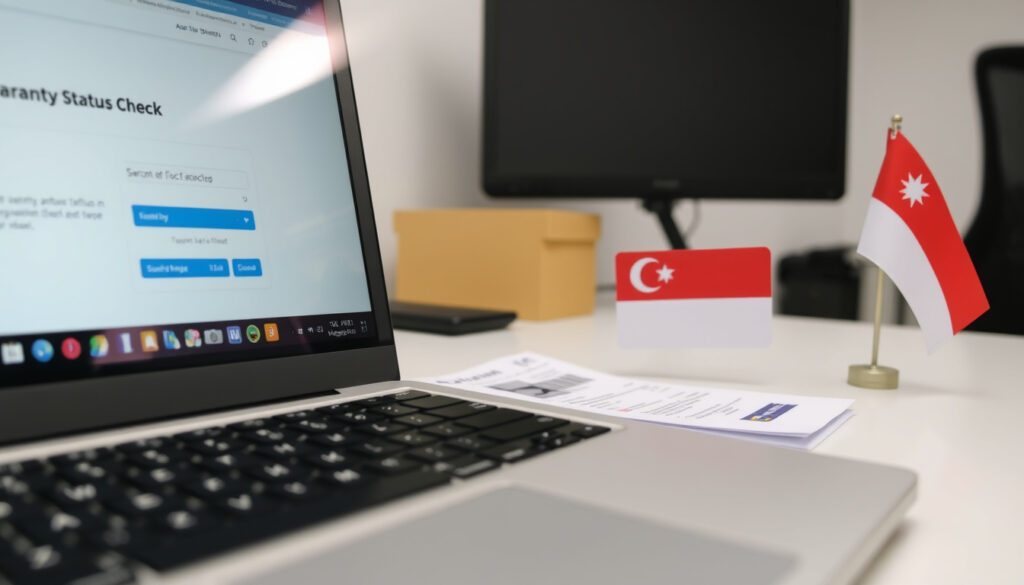
Lenovo Warranty Check Singapore: Verify Status Online
You’re probably here because you need to confirm your Lenovo warranty status in Singapore — maybe you’re about to send your device for repair, or you’re buying a second-hand ThinkPad. The good news is that checking is straightforward: enter your serial number on the official Lenovo Support page, and you’ll see start and end dates within seconds.
Standard warranty period: 1–3 years depending on product line (e.g., ThinkPad: 3 years, IdeaPad: 1 year) ·
Warranty check method: Serial number lookup on Lenovo Support website ·
International warranty coverage: Available in over 100 countries via Lenovo IWS ·
Serial number location: Bottom of device, inside battery compartment, or in system settings
Quick snapshot
- Use serial number on Lenovo Support (Lenovo Support Singapore)
- Instant status with start/end dates (Lenovo Support Singapore)
- Check online or via phone (Lenovo Contact page)
- IWS for temporary travel (Lenovo IWS page)
- Hardware repairs only (Lenovo IWS page)
- Register before travel (Lenovo IWS page)
- Submit claim on Lenovo Support (Lenovo Support SG)
- Proof of purchase needed (Southern Monitor guide)
- Service options vary (Lenovo Singapore service centers)
- Check expiry date online (Lenovo Warranty Lookup)
- Extended warranty available (Southern Monitor guide)
- Out-of-warranty repairs at cost (Lenovo service centers)
Four key facts about Lenovo warranty coverage in Singapore, one pattern: the serial number is your key to every warranty action.
| Fact | Detail |
|---|---|
| Standard Warranty Period | 1–3 years depending on model (e.g., ThinkPad: 3 years, IdeaPad: 1 year) |
| Serial Number Location | Bottom of device, inside battery compartment, or in system settings |
| IWS Coverage | Hardware repairs in over 100 countries; no accidental damage |
| Warranty Check URL | pcsupport.lenovo.com/sg/en/warranty-lookup |
How do I check my Lenovo warranty status?
Using the Lenovo Warranty Lookup tool
The official warranty lookup page for Singapore is Lenovo Support Singapore (official warranty portal). Users must enter a serial number, machine type, or model number to initiate a warranty lookup on the Lenovo Singapore portal. If you’re browsing from the device you intend to check, you can also use the Detect Product feature — it scans your system automatically and pulls up the warranty details for you.
Finding your device serial number
- On most Lenovo laptops, the serial number is a 7-8 character string printed on a label on the bottom of the device. All-in-one desktops typically have it on the back panel. For older models, check inside the battery compartment (Southern Monitor, technology support guide).
- If the physical label is faded or missing, you can retrieve the serial number through the BIOS: restart your device, press Enter then F1 (on ThinkPads) to enter the BIOS menu, and look for the serial number there.
- On a Windows system without shutting down, open Command Prompt and type
wmic bios get serialnumber— the number appears instantly. - Lenovo Vantage, the official system management app, also displays the serial number under Device details.
Interpreting warranty status results
Once you enter the serial number, the portal shows the warranty type, start and end dates, and remaining coverage. The warranty period begins on the purchase date or the device activation date if that is later. If you bought the device from an unauthorized reseller, coverage may be reduced or non-existent.
The implication: your serial number is the only key — without it, you cannot verify warranty status through any official method.
wmic) to check warranty status. Without it, no official verification is possible.Is Lenovo warranty international?
Overview of Lenovo International Warranty Service (IWS)
Lenovo offers the International Warranty Service (IWS) for hardware defects that occur during temporary travel or relocation to another country. According to the Lenovo IWS page (official international warranty portal), “International Warranty Service provides hardware repair support when you travel or relocate to a participating country.” The IWS lookup requires entering the serial number to view international entitlement details.
Countries covered by IWS
IWS covers hardware repairs in over 100 countries. To check eligibility for a specific destination, use the IWS lookup tool before you travel. Registration is recommended before departure.
Limitations of international warranty
- IWS covers hardware defects only — no accidental damage, software issues, or consumables like batteries.
- Onsite service is not included; repairs are done at local authorized service centers.
- The standard warranty is country-specific; if you move permanently, you may need to transfer the warranty.
The trade-off: IWS gives you a safety net when abroad, but it won’t cover a cracked screen or a lost charger.
How do I claim my Lenovo warranty?
Steps to submit a warranty claim online
- Go to Lenovo Support Singapore and sign in with your Lenovo ID.
- Select your device or enter the serial number to access the warranty and support options.
- Choose Create a service request and describe the issue.
- Upload proof of purchase (invoice or receipt) if required.
- Choose your preferred service option: courier pickup, drop-off at a service center, or onsite (if your warranty covers it).
Required documents
Proof of purchase is often needed to validate the warranty, especially if the device was not registered at purchase. The serial number and a clear description of the defect are mandatory.
Service options in Singapore
- Courier pickup: Lenovo arranges a courier to collect the device from your home or office.
- Drop-off: Bring the device to an authorized service center. Check Lenovo Singapore service centers for locations.
- Onsite: Available only for certain business-class products (e.g., ThinkPad with onsite warranty).
Why this matters: turnaround time in Singapore can range from 3 to 10 business days depending on the service type and parts availability.
How do I know if my product has warranty?
Checking warranty via official Lenovo tool
The primary method is the Lenovo Warranty Lookup page. Enter the serial number, and the tool displays the current warranty status. If the device is out of warranty, it will indicate that coverage has expired.
Verifying warranty by contacting Lenovo support
You can also call Lenovo Singapore support at +65 6827 1192 (Monday–Friday, 9:00–18:00) to verify warranty status. Have the serial number ready. The Lenovo Contact page lists all support channels.
Understanding warranty start date
Lenovo typically starts the warranty on the purchase date. If the device is activated later (e.g., a pre-installed Windows activation), the start date may be the activation date. The Southern Monitor guide advises checking the start date in the warranty lookup to avoid gaps in coverage.
The catch: if you bought the device from a third-party seller who did not register the sale, the warranty may be calculated from the date Lenovo shipped the product — which could be months earlier.
Does the warranty expire?
Standard warranty duration for different Lenovo products
- ThinkPad: 3 years (base warranty) – often extendable.
- IdeaPad, Legion, Yoga: 1–2 years depending on region.
- Lenovo servers and Data Center products: Varies by contract; some come with 3-year on-site support.
How to check warranty expiry date
The Lenovo Warranty Lookup shows the exact expiry date. For Data Center products, use Lenovo Data Center Support Singapore (enterprise warranty portal).
Options after warranty expiration
- Extended warranty: Lenovo offers paid extended warranty plans, including accidental damage protection, for most products.
- Out-of-warranty repairs: Available at cost through authorized service centers. Parts and labor charges apply.
- No coverage: If you continue without extension, any future repair will be fully out-of-pocket.
What this means for Singapore users: a 1-year IdeaPad warranty expires quickly. If you’re still making payments on the device or use it for work, extending the warranty may save you hundreds in repair costs later.
Step-by-step: Lenovo warranty check in Singapore
- Locate your serial number — check the bottom label, BIOS, or use
wmiccommand. - Go to Lenovo Support Singapore and enter the serial number.
- Review the warranty details — type, start/end dates, remaining days.
- If traveling abroad, check IWS eligibility at the Lenovo IWS page.
- For a claim, initiate a service request through the same portal with proof of purchase.
- After expiry, consider purchasing an extended warranty or schedule a paid repair.
Confirmed facts vs. what’s unclear
Confirmed facts
- Lenovo warranty can be checked via serial number on pcsupport.lenovo.com.
- International warranty (IWS) is available for hardware defects during temporary travel (Lenovo IWS page).
- Standard warranty period ranges from 1 to 3 years.
- The serial number is strictly required; no alternative method bypasses it (Southern Monitor guide).
What’s unclear
- Whether accidental damage is covered under standard warranty in all regions (varies by country).
- Specific claim processing time in Singapore depends on service center workload and parts availability.
- Some older Lenovo models may have the serial number label inside the battery compartment — but not all.
- The warranty start date may be calculated from the date Lenovo shipped the product if not registered after purchase.
What Lenovo says about warranty
“Enter your serial number to view warranty details.”
— Lenovo Support Singapore (official warranty portal)
“International Warranty Service provides hardware repair support when you travel or relocate to a participating country.”
— Lenovo IWS documentation (official international warranty page)
“The serial number is strictly required for the official warranty lookup; no alternative method bypasses this requirement.”
— Southern Monitor technology support guide
For Singapore buyers, the biggest gap is accidental damage coverage: standard warranties exclude drops and spills. ThinkPad users with 3-year coverage have a real safety net, but IdeaPad and Legion owners on 1-year plans should consider the extension before the warranty runs out.
IWS gives you peace of mind when travelling to Malaysia or Australia, but it won’t cover a failed hard drive caused by a power surge — those are hardware defects only. Register your product before departure to avoid delays.
support.lenovo.com, smartsupport.lenovo.com, datacentersupport.lenovo.com, pcsupport.lenovo.com, pcsupport.lenovo.com
For a broader overview of the process, you can refer to this general Lenovo warranty check guide that covers steps applicable to various regions.
Frequently asked questions
Can I check Lenovo warranty without a serial number?
No — the serial number is strictly required for the official warranty lookup. No alternative method bypasses this requirement from Lenovo’s system.
How to transfer Lenovo warranty to a new owner?
Lenovo warranties are generally transferable to a new owner if the product is sold; the new owner can check warranty status using the serial number. However, proof of original purchase may be needed for claims. Contact Lenovo Support for specific transfer procedures.
Does Lenovo offer extended warranty in Singapore?
Yes, Lenovo Singapore offers extended warranty and accidental damage protection plans through the Lenovo Support portal. Pricing depends on the product model and coverage duration.
What is the difference between standard warranty and IWS?
Standard warranty is country-specific and covers hardware defects at the point of purchase. IWS extends coverage to over 100 countries during temporary travel or relocation, but only for hardware repairs (no accidental damage, no onsite).
How long does a typical warranty claim take in Singapore?
Turnaround time varies: courier pickup and drop-off repairs usually take 5–10 business days, while onsite service (if covered) may be faster. Parts availability can affect timing.
Are Lenovo batteries covered under warranty?
Batteries are generally considered consumables and are covered only if they fail within the first 12 months of the standard warranty. Extended warranties may include battery coverage. Check the specific warranty terms for your product.
What should I do if my warranty has expired?
You can purchase an extended warranty through Lenovo if the device is still within the first year after expiry (subject to eligibility). Otherwise, out-of-warranty repairs are available at authorized service centers at your own cost.
For Singapore residents, the decision is clear: if you rely on your Lenovo device for work or study, extend the warranty before the standard period ends. For travellers, register for IWS before your next trip. And always keep your proof of purchase — it’s your strongest card in any warranty claim.
Related reading: Samsung Find My Mobile: Complete Guide to Tracking and Recovery | How to Reset Network Settings: Android, iPhone, Windows (Safe?)
More related posts
 Cat Age vs Human Age: Conversion Chart & Guide
 Super Travels Pte Ltd Reviews: Reputation & Legitimacy
 GlobalFoundries Singapore Pte Ltd: Role, CEO, and Ownership
 Even Given the Worthless Appraiser Class – Analysis and Insights
 How Many Oceans in the World? 5 vs 7 Explained by NOAA
 UOB Lady’s Savings Account: Rates, Rewards & Fees 2025
 Enova Electrical Pte Ltd | Reviews, Contact, Careers & More
 The Theatre at Mediacorp: Capacity, Seating & Location